Email attachment
- Best suited to
- One or two simple files in a one off exchange
- Client experience
- Familiar and direct
- Tracking what is missing
- Usually manual
- Repeated requests
- Becomes repetitive quickly
Structured client file collection
If you only need one file from a client once, email may be enough. The process becomes harder when you need several documents, answers or confirmations, especially when the client sends some items now and the rest later.
The key is not only giving the client somewhere to upload. It is making the request clear enough that both sides can see what was requested, what has arrived and what is still outstanding.
FileTRX lets you create a structured client request, share one browser based link, collect files and other requested information, and track progress as the client responds.
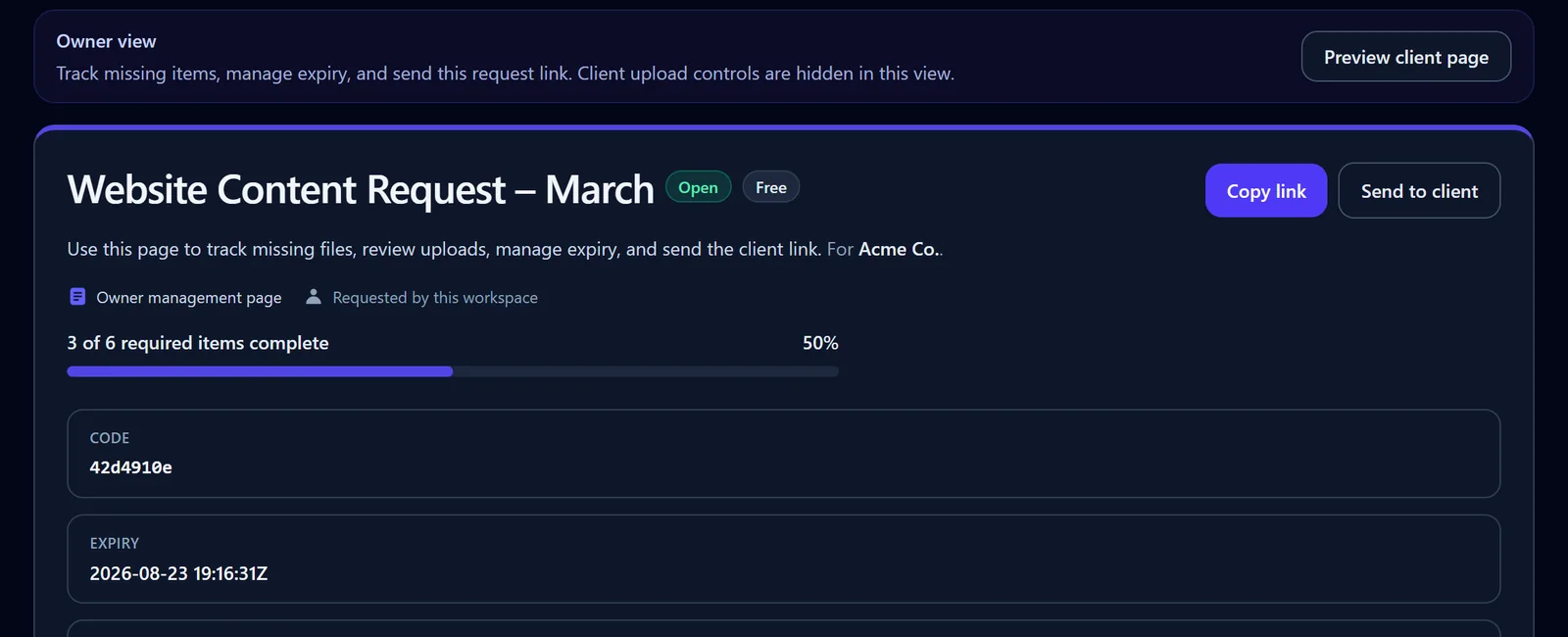
See partial completion at a glance
The owner view keeps the completed count, percentage and outstanding checklist state together.
There is no single best way to request files from every client. The right method depends on how much you need, how often the process repeats and whether you need to track individual outstanding items.
A clear middle ground
For a one off request, adding another system can create unnecessary work. For a multi item request, the ability to define each item and see what remains can become more useful than simply providing an upload destination.
A basic upload link solves an important problem: Where should the client put the files? That may be all you need.
But if your request contains six documents and the client sends four, you now have a different problem: Which two items are still outstanding?
A structured request makes each required item explicit. Instead of sending a message such as “please send the documents we discussed”, you can present the client with a checklist of the files and information you actually need.
That checklist can also include information that is not a file. For example, you may need the client to answer a question, choose an option, provide a date or confirm that the information supplied is current.
This makes the request itself the source of truth rather than relying on an email thread, a folder and a separate list of missing items.
If you are evaluating products for this workflow, you can also compare file request software capabilities.
A useful test
Can you answer “what exactly do I still need from this client?” without checking another list?
If the answer depends on comparing an inbox, a folder and your notes, the request may benefit from more structure.
A professional request should make it easy for the client to understand what you need and easy for you to see whether the request is complete.
Give the request a clear name. Use a title the client will recognise, such as “New client information” or “March bookkeeping records”.
List each requested item separately. Avoid hiding several documents inside one long instruction when they need to be tracked individually.
Explain anything that could be ambiguous. If you need a particular period, version or type of document, say so beside the relevant item.
Make optional items obvious. Clients should be able to distinguish what is required from what is useful only when available.
State relevant file requirements. If a specific format or file size matters, tell the client before they try to submit the file.
Give a realistic deadline or expiry where appropriate. Make the timing visible instead of leaving it buried in a separate email.
Provide one consistent place to respond. Avoid asking the client to use several channels unless the workflow genuinely requires it.
Make received items easy to recognise. The client should not have to guess whether something has already been supplied.
Keep outstanding items visible. Partial completion is normal. A useful request should make the remaining work clear.
Allow room for an explanation when needed. Give the client a clear way to say when an item does not exist or cannot yet be supplied.
You can use this checklist with email, a shared folder or another process. The more often the same type of request repeats, the more useful it becomes to turn the checklist into a reusable workflow.
A practical example
Imagine you are starting work with a new client and need several items before you can begin. Instead of sending one message with a paragraph of instructions, the request could be structured like this:
The request is not simply “open” or “closed”. It is partially complete, with specific outstanding items still visible.
The FileTRX workflow
Start with a clear request title, client details and instructions, then add the items you need. A request can include file uploads, short or long text answers, yes or no questions, dropdown choices, dates and confirmations. File items can accept more than one file and can use format or size rules where relevant.
Send the client the request link rather than dividing the request across several email attachments and messages. For an open FileTRX request, the client can use the browser based link without creating a FileTRX account.
The client can upload requested files and provide the other information in the request. If everything is not available at once, the request can remain partially complete while outstanding items are still visible.
As items are completed, FileTRX shows request progress so you can see what has arrived and what is still missing.
When needed, the request owner can close, reopen, revoke or extend a request. Scheduled reminder emails are also available for outstanding requests, and recurring request structures can be reused through templates.
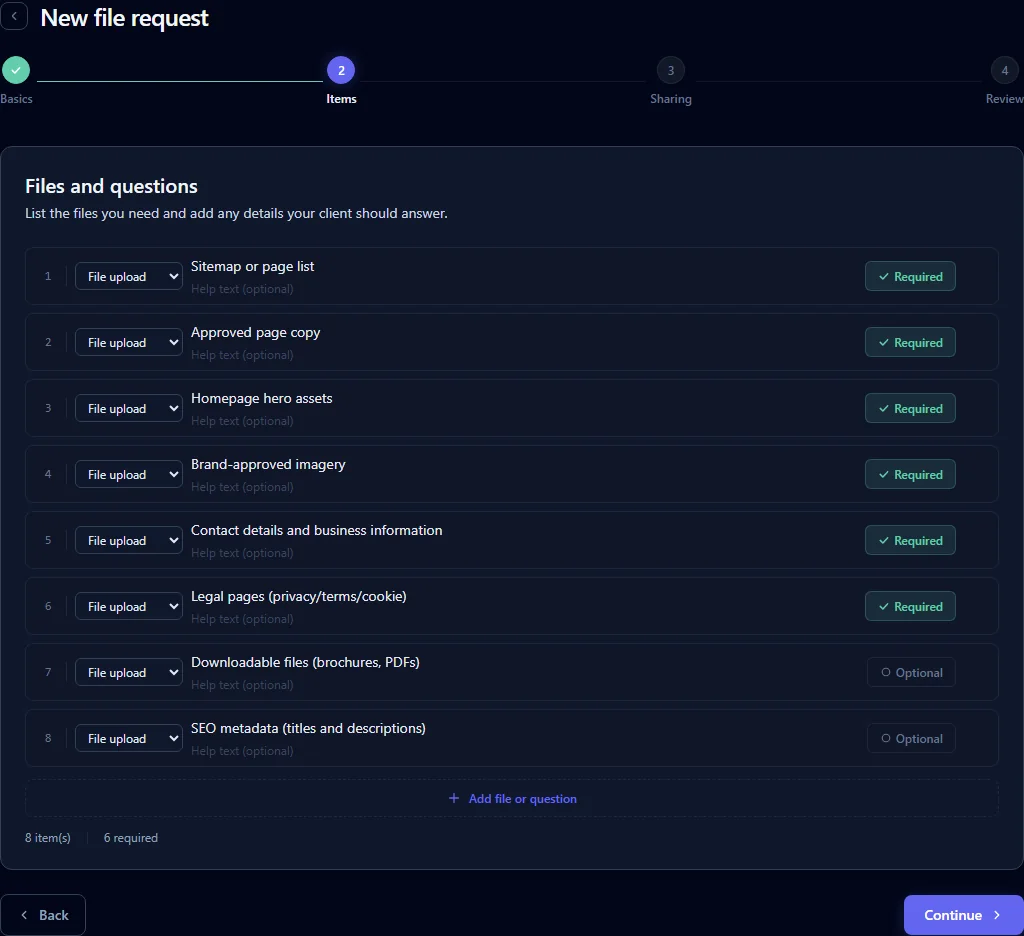
The aim is not to turn a simple file exchange into a large workflow. It is to give repeated or multi item client requests enough structure to remain clear.
A client receiving an open FileTRX request sees a browser based request rather than a blank storage folder.
For open requests, the client does not need to create a FileTRX account to upload files and respond. The client can work through one list instead of interpreting a long email and deciding where each item belongs.
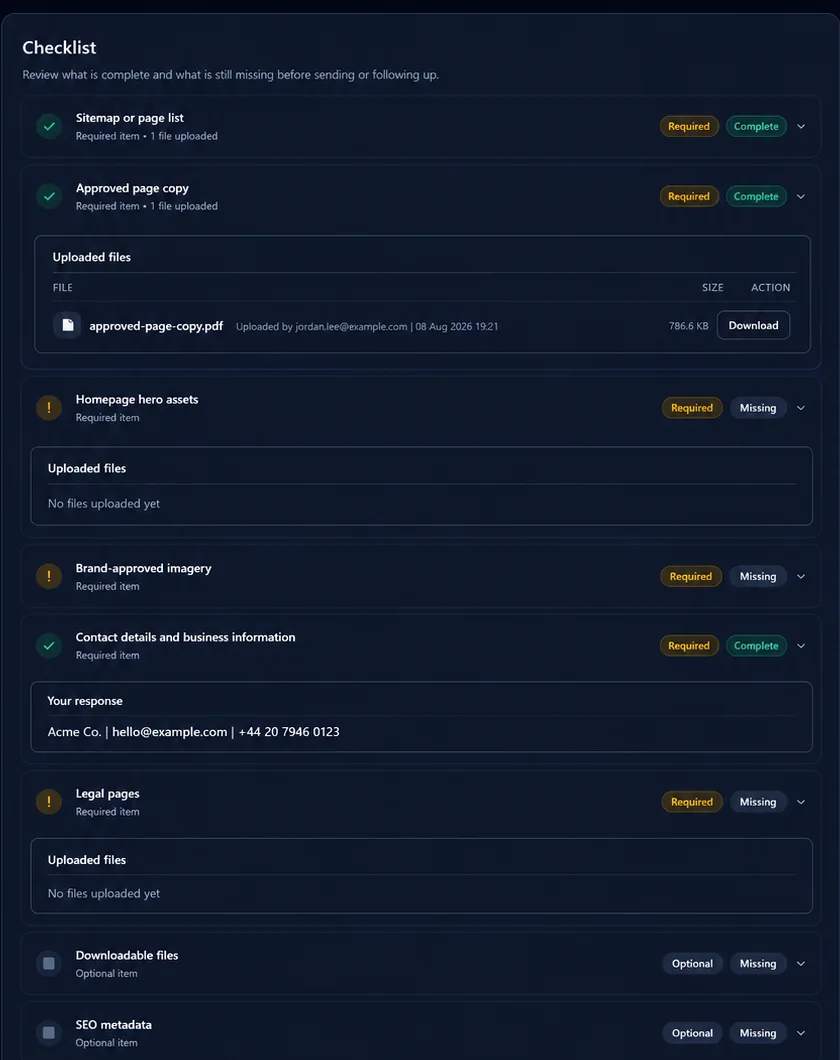
Once the request is sent, the owner can focus on the state of the request rather than reconstructing it from messages and attachments.
You do not need every capability for every client. The value comes from choosing enough structure for the workflow you actually have.
A recurring monthly request might ask separately for bank statements, sales records, expense documents and a confirmation that the available records have been supplied. When the client provides only some of them, the remaining items stay clear.
A project request might collect logo files, brand guidance, existing copy, photographs and a few project answers in the same request rather than spreading assets and information across several email threads.
A request might combine a CV or supporting documents with availability information, a date and a confirmation. Files and answers remain part of the same client request instead of becoming separate tasks to reconcile later.
These are intentionally simple examples. The exact request should reflect the work you actually need from the client rather than forcing every workflow into the same template.
Reusable workflows
If you ask different clients for the same type of material, rebuilding the request each time creates unnecessary repetition.
FileTRX includes ready made templates and lets you save your own recurring request structures. You can start from a suitable structure, review it for the current client and then send the request.
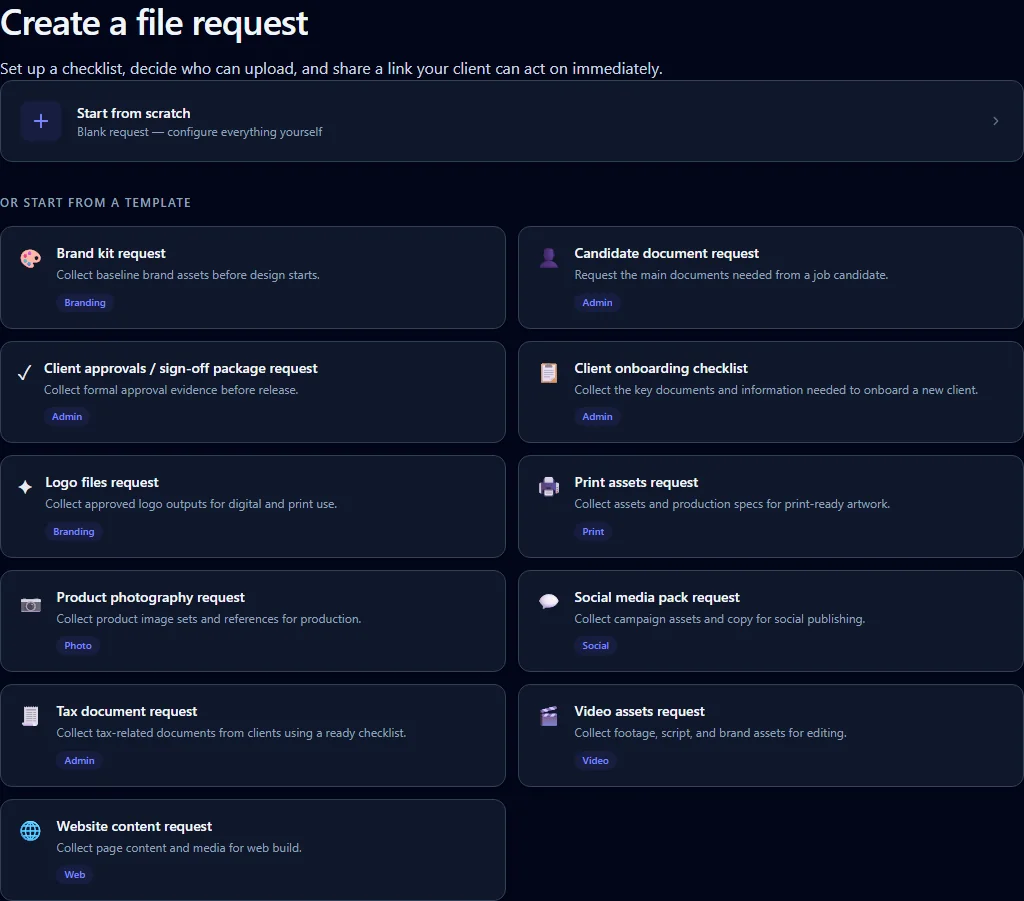
Use the simplest method that matches the job. Email can be enough for one or two files in a one off exchange. A basic upload link is useful when the main problem is giving the client one place to send files. A structured file request becomes more useful when you need several specific items, expect partial completion, need answers alongside files or repeat the same process with multiple clients. A full client portal may make more sense when file collection is only one part of a broader ongoing client relationship.
With an open FileTRX request, yes. The client can open the request in a browser and upload files without creating a FileTRX account. FileTRX also has other request access modes, so the no account statement should be understood specifically in the context of open requests.
List each document as a separate requested item rather than putting the whole list into one paragraph. This makes the request clearer and makes partial completion easier to understand. In FileTRX, a request can contain several file items, and an individual item can also accept multiple files when needed.
Use a request structure that tracks completion against each requested item. If five items were requested and three have been supplied, the remaining two should stay visible as outstanding. FileTRX provides request progress and item level completion so the owner can see what has arrived and what remains.
Yes, although both can be useful. A shared folder mainly gives the client a destination for files. A structured file request defines the individual items you need and can track progress against that list. If the main problem is simply where the client should upload, a folder or basic upload link may be sufficient. If the problem is knowing exactly what is still missing, a structured request is usually a better fit.
Email is often perfectly reasonable when the request is small, clear and unlikely to repeat. If you need one document from one client and there is little chance of confusion, adding another workflow may not help. The case for a structured request becomes stronger as the number of items, clients, follow ups or repeated requests grows.
Give the request a clear title, list each item separately, explain anything ambiguous, distinguish required and optional items, include relevant file requirements, provide a deadline where appropriate and make it easy to see what has already been supplied and what remains outstanding. If an item might not be available, give the client a way to explain that.
Yes. A FileTRX request can combine file uploads with short or long text answers, yes or no questions, dropdown choices, dates and confirmations. That is useful when a client request includes both documents and the information needed to interpret or complete the work.
Yes. FileTRX includes ready made templates and lets you save your own recurring request structures, so a useful checklist can be reused instead of rebuilt from the beginning each time.
If you need several files or pieces of information from a client, define the request once, share one link and keep the outstanding items visible as the client responds.